Portal Setup Assistance
Step 1 - Select "My Account"

Select "My Account" at the top right corner of passpestcontrol.com (highlighted in the yellow rectangle).
Step 2 - Select "Open Your Portal"
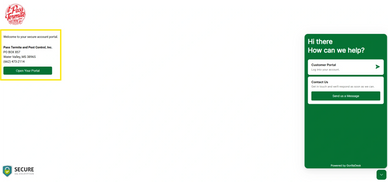
Next, click the green button on the left side of the main portal page that reads, "Open Your Portal" (highlighted in the yellow rectangle). This will open a submenu on the right side of the screen.
Step 3 - Login to Portal
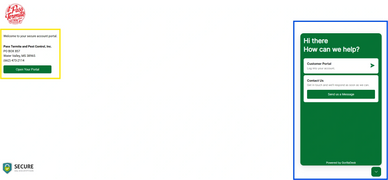
Click the white menu button on the right side of the screen that reads Customer Portal, Login to Your Account.
Step 4 - Enter Your Credentials
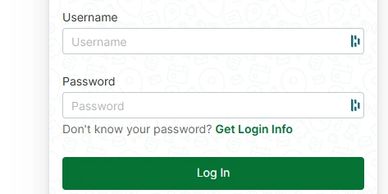
Here you will be asked for your login credentials. These can be obtained from Pass Pest Control by calling 662-473-2114.
An email address is not required for access, but is preferred.
Step 5 - Manage Your Account
Step 5 - Manage Your Account
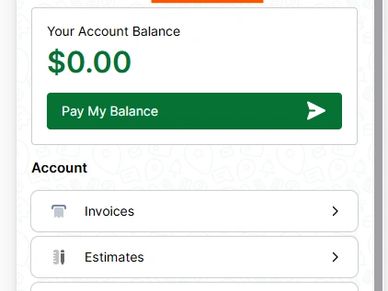
You've successfully logged into your account management portal.
Account Management Options
View Invoices
View Estimates
View Estimates

Select the "Invoices" button at the top of the Customer Portal Menu (highlighted here in yellow).
View Estimates
View Estimates
View Estimates
Select the "Estimates" button on the Customer Portal Menu (highlighted here in yellow).
View Documents
View Estimates
Manage Payments and Passwords
Select the "Documents" button on the Customer Portal Menu (highlighted here in yellow).
Manage Payments and Passwords
Manage Payments and Passwords
Manage Payments and Passwords
The last two buttons on the Customer Portal Menu allow customers to manage their payment options and manage their portal password.
Manage Payments
Manage Payments and Passwords
Manage Passwords
Under "Manage Payment Options", a credit card can be added to your account for easy access to make payments or update payment details.
Manage Passwords
Manage Payments and Passwords
Manage Passwords
Under "Change Your Password", the portal password for the logged in account can be changed at any time. Simply enter the new password twice and click "Save".